Five AI tools worth using for customer service are Zendesk and Kustomer for AI agents and help desk work, Gleap for in-app support, Kaizo for automated QA and coaching, and ClickUp for internal follow-up. Each covers a different part of the support stack.
In short
- Help desks now ship AI agents that resolve simple requests on their own.
- Copilot tools draft replies and summaries for human agents.
- AI QA scores every conversation against your own scorecard.
- Start with one use case and measure it before adding more.
Why use AI for customer service?
AI is most useful in support in four places.
Answering simple requests. AI agents built on your help center content answer the repetitive questions at any hour, and hand off to a person when they can’t. That reduces the queue and gives customers an instant answer, which can lead to higher satisfaction.
Helping human agents. Copilot features summarize long threads, suggest replies from your knowledge base and translate messages, so agents spend their time on the problem instead of the typing.
Reviewing quality. AI can evaluate and rate every conversation, which used to be impossible with manual sampling (see our guide to automated quality assurance). Trends and problems surface quickly enough to act on.
Serving every channel. The same AI can work across email, chat, messaging and voice, so customers get consistent help wherever they reach you.
Which AI tool to use for what
| Tool | Use it for | Main AI features |
|---|---|---|
| Kaizo | Automated QA, coaching and performance insights | Auto QA on every conversation, sentiment and empathy scoring, AI summaries |
| Zendesk | AI agents inside a full help desk | AI agents, Copilot, QA, workforce management |
| Kustomer | AI customer service on a CRM | Concierge AI agent, Envoy assistant, Architect builder |
| Gleap | In-app support for software products | Kai AI agent, Kai Copilot, bug investigation |
| ClickUp | Internal follow-up on escalations and projects | ClickUp Brain, Super Agents, AI Notetaker |
Kaizo: for automated QA, coaching and performance insights
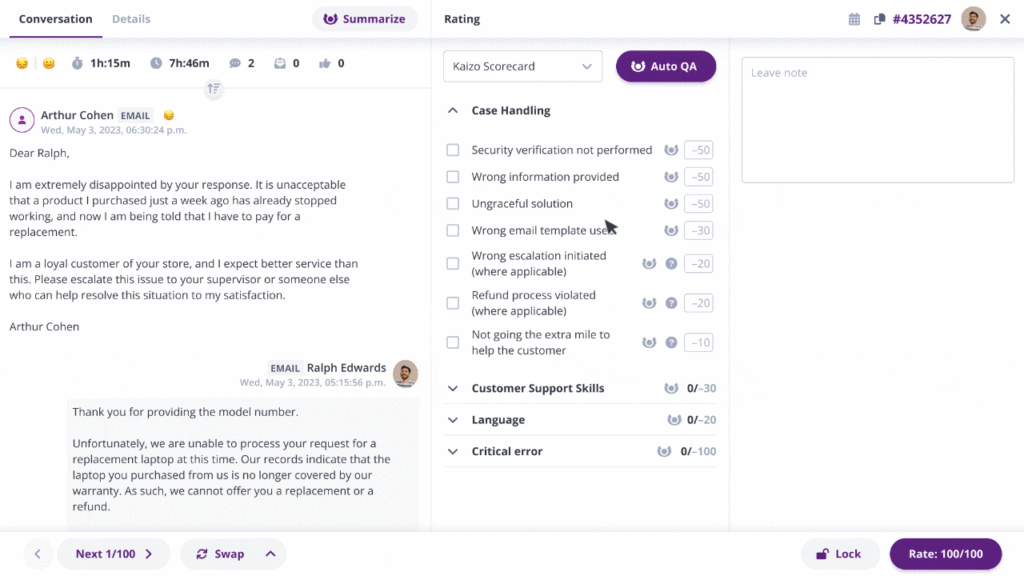
Kaizo automates quality assurance for support teams on Zendesk and Salesforce (for a vendor-by-vendor view, see the best customer service QA software compared). It scores 100% of conversations against your own scorecard, then connects the results to coaching and performance data, so findings turn into action.
Notable AI features:
- Auto QA: automated scoring of every conversation
- Sentiment and empathy scored across every message
- AI summaries and on-demand transcription to cut review time
- Root cause analysis, with questions answered in plain language
Other use cases for customer service:
- Performance coaching with coaching cards and one to ones
- Performance insights: dashboards and reporting across QA, sentiment and coaching
- Agent engagement through gamified Missions
- QA that runs inside Zendesk and Salesforce
Zendesk: for AI agents and multichannel support
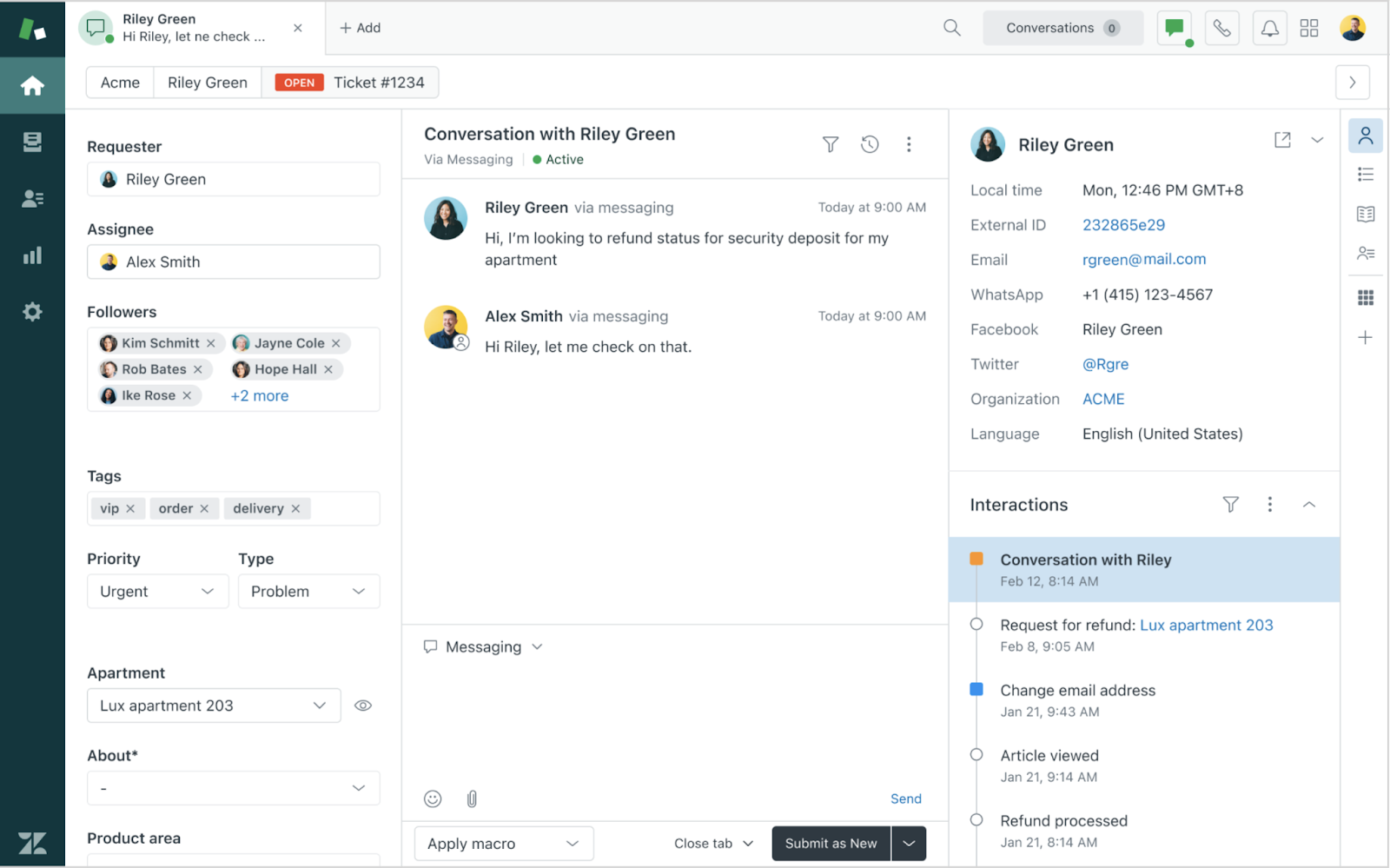
Zendesk has rebuilt its product around AI. Its AI agents handle customer requests, and Copilot works alongside human agents. Zendesk describes the system as a “Resolution Learning Loop”, where each outcome feeds the next. It also sells its own QA and workforce management products.
Notable AI features:
- AI agents
- Copilot for human agents
- Knowledge base
- Quality assurance
- Workforce management
Other use cases for customer service:
- Ticketing system
- Messaging and live chat
- Voice and contact center
- Employee service
Rate tickets directly within Zendesk! Save time and avoid tab jumping by bringing Kaizo’s Auto QA capabilities into Zendesk. Book a demo or see how Kaizo works in Zendesk.
Kustomer: for AI customer service built on a CRM
Kustomer calls itself an AI customer service platform and CRM. It keeps a unified view of each customer’s data, so agents and AI see past interactions and context in one place. Its AI is split into named products: Concierge resolves complex requests across channels, Envoy gives human reps context and suggestions, and Architect helps you design and improve customer journeys.
Notable AI features:
- Concierge: AI agent
- Envoy: AI assistance for human reps
- Architect: AI-powered experience builder
- Data Explorer
Using it for customer service + other use cases:
- Omnichannel support
- CRM with full customer context
Gleap: for in-app support
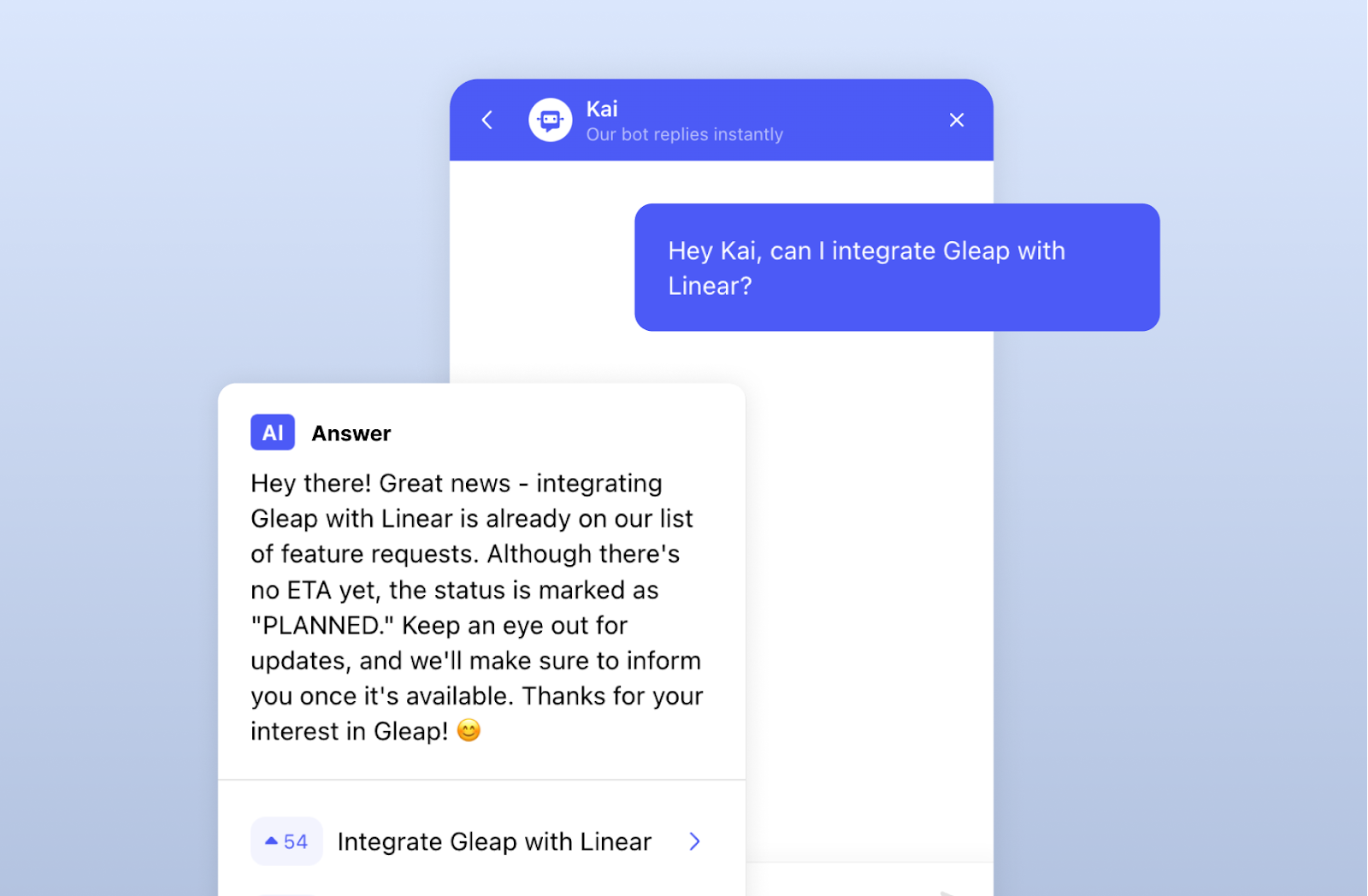
Gleap suits software companies that support customers inside their own app. Its AI agent, Kai, answers customer questions from your knowledge base and connected sources. Kai Copilot assists your support team, and Kai Resolve investigates bug reports by reviewing logs and click trails, which saves a round trip to engineering.
Notable AI features:
- Kai, AI support agent
- Kai Copilot
- Kai Resolve for bug investigation
- Kai PM for analyzing feature requests
Using it for customer service + other use cases:
- In-app bug reporting with screenshots and session replay
- Live chat, email and shared inbox
- Knowledge base
- Surveys and customer feedback
- Public roadmap and release notes
- Product tours
ClickUp: for internal follow-up
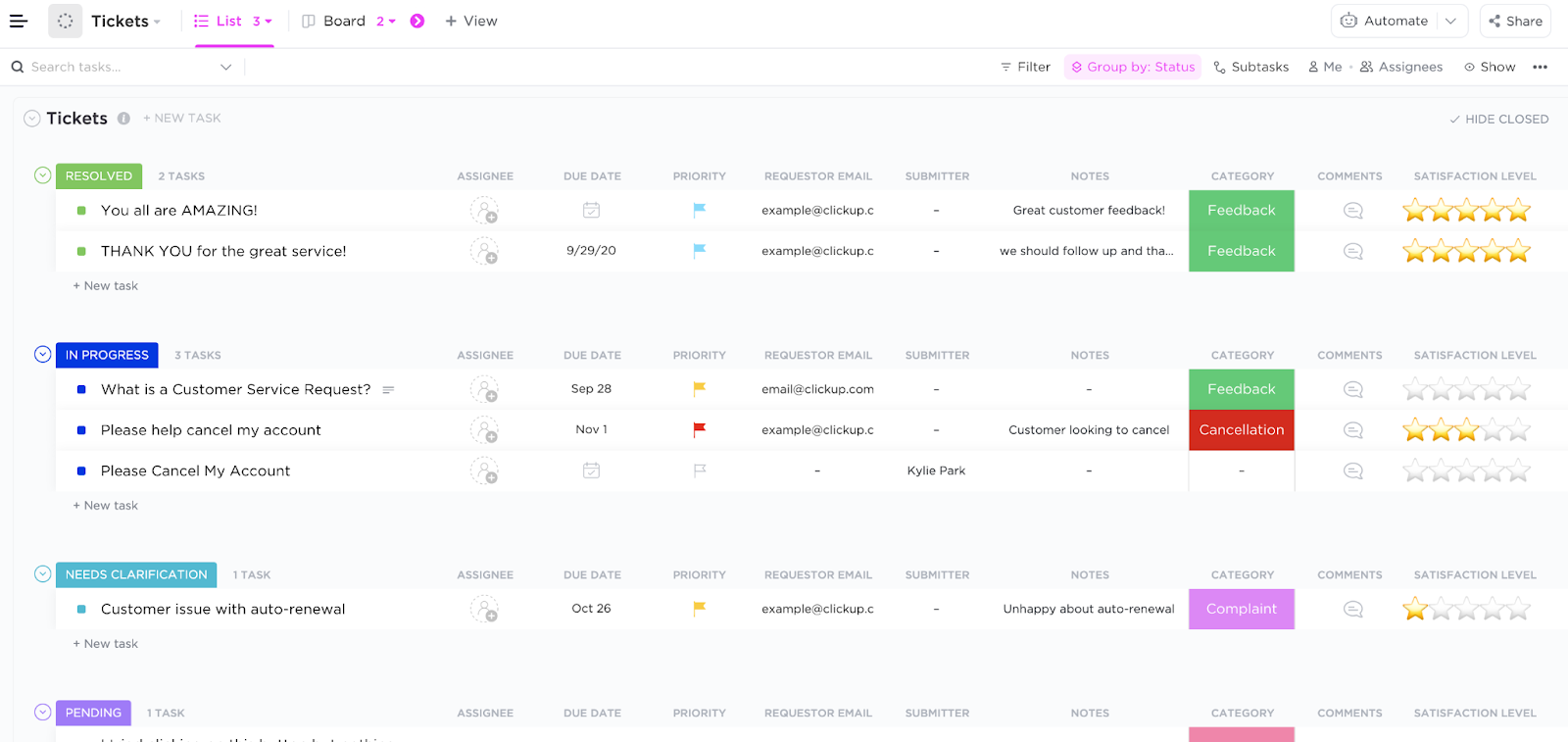
ClickUp is a project management tool, and it doesn’t market itself to support teams. It earns a spot because a lot of support work happens after the ticket: bugs to chase, feature requests to log, process fixes to track. Its AI, ClickUp Brain, summarizes and writes inside tasks and docs, and its Super Agents can take on work as specialized AI agents.
Notable AI features:
- ClickUp Brain for summarizing, writing and analysis
- Super Agents
- AI Notetaker for meetings
- Deep Search across your workspace
- Talk to Text
Other use cases:
- Task and project management
- Team collaboration
- Docs
- Goal tracking
- Workflow automation
How to check your AI tools are working
Every AI tool here promises faster, better service. The only way to know is to look at the conversations. Review the handoffs from your AI agent: where it escalated, and what the human had to fix. Then check whether the human replies hold up. Automated QA scores every conversation your team handles against your own scorecard, so you can see if quality, sentiment and reopens move after a rollout. Without that, you are left with the vendor’s dashboard.
Where to start with using AI tools for customer service
Start by identifying the use cases where AI will add the most value to your support operation. Our shortlist of support AI tools can help you compare options.
Decide which tasks still need a person and which ones you can pass to an “AI colleague”. Simple, repetitive requests suit automation. Complaints, sensitive cases and anything involving judgement usually don’t.
Prioritize the use cases that match your customer service goals. If you want faster responses on repetitive requests, pair an AI agent with automated QA, so you speed up without losing track of quality.
Frequently asked questions
What is the best AI tool for customer service?
It depends on the job. For an AI agent that answers customers, start with what your help desk offers, such as Zendesk AI agents or Kustomer Concierge. For reviewing quality across every conversation, use an automated QA tool like Kaizo.
Will AI replace customer service agents?
AI agents now handle many simple requests without a person. Complex, emotional and high-stakes conversations still go to humans, and those agents need coaching more than ever because the easy tickets are gone.
How do you measure whether AI improves customer service?
Compare resolution rates, reopens, CSAT and QA scores before and after rollout, for both AI-handled and human-handled conversations. Read a sample of escalated conversations every week. They show where the AI falls short.
How much does AI for customer service cost?
It varies by vendor and changes often, so check each vendor’s current pricing page. Ask whether AI is priced per seat, per resolution or as an add-on. If it is per resolution, ask what counts as one before you sign.
See it on your own conversations. Kaizo scores 100% of your support conversations and turns the findings into coaching. Book a demo.