The leading customer service QA platforms are Kaizo, Zendesk QA, MaestroQA (Rippit), Level AI, EvaluAgent and Scorebuddy. Compare them on scoring coverage, control over your own criteria, coaching and setup time, using the table and user feedback below.
In short
- Kaizo scores 100% of conversations against your own custom criteria.
- Several others score a sample against standard scorecards.
- Zendesk QA suits teams fully committed to the Zendesk suite.
- Test every shortlisted tool on a sample of your own conversations.
When you’re comparing software, the best information is the most recent. If you’re evaluating customer service quality assurance software, you already know the stakes: the right tool directly impacts agent performance, customer satisfaction, and the ROI of your entire support operation. This guide breaks down the six leading customer support QA platforms, covering:
- Real user feedback,
- The most up-to-date AI capabilities, coaching features, and integrations.
So you can make a confident, informed decision.
Disclosure: Kaizo makes one of the tools in this list. We have kept the comparison to features each vendor documents publicly and to themes from G2 reviews, and we say where competitors do something well.
Best customer service quality assurance software compared
Our in-depth table serves as an up-to-date single source of truth to compare the offerings of these customer service QA tools. Cross-reference the capabilities of Kaizo, Zendesk QA, Maestro QA (Rippit), Level AI, Evaluagent, and Scorebuddy to understand general QA, AI, coaching, analytics, and integration possibilities.
Customer service QA software comparison: Kaizo vs Zendesk QA, MaestroQA, Level AI, EvaluAgent & Scorebuddy across 29 features.
✓ Included✗ Not available_italic_ = conditional or add-on
Swipe to compare all vendors →
| Feature | Kaizo | Zendesk QA | MaestroQA | Level AI | EvaluAgent | Scorebuddy |
|---|---|---|---|---|---|---|
| General QA | ||||||
| Auto QA | ✓ | ✓ | ✓ | ✓ | ✓ | ✓ |
| Email, chat & voice QA | ✓ | ✓ | ✓ | ✓ | ✓ | ✓ |
| 100% conversation coverage | ✓ | ✓ | ✓ | ✓ | ✓ | ✓ |
| AI agent QA | ✓ | ✓ | ✓ | ✓ | ✓ | ✓ |
| On-demand transcription | ✓ | $0.027/min | ✓ | Enterprise only | ✓ | Credit-based |
| AI & intelligence | ||||||
| AI conversation summaries | ✓ | ✓ | ✓ | ✓ | ✓ | ✓ |
| AI prompting / custom criteria | ✓ | Limited | ✓ | ✗ | ✓ | ✗ |
| Knowledge base connectivity | ✓ | Zendesk only | Limited | ✗ | ✗ | ✓ |
| AI coaching recommendations | ✓ | ✗ | ✗ | ✓ | ✗ | ✗ |
| Sentiment analysis | ✓ | ✓ | ✓ | ✓ | ✓ | ✓ |
| Churn risk detection | ✓ | ✓ | ✓ | ✓ | ✓ | ✗ |
| Root cause analysis | ✓ | ✓ | ✓ | ✓ | ✗ | ✗ |
| Extended AI insights | ✓ | ✓ | ✓ | ✓ | ✗ | ✗ |
| Coaching & performance | ||||||
| Real-time feedback | ✓ | ✓ | ✓ | ✓ | ✓ | ✓ |
| Performance dashboards | ✓ | ✓ | ✓ | ✓ | ✓ | ✓ |
| Calibration sessions | ✓ | ✓ | ✓ | ✗ | ✗ | ✓ |
| Assignments | ✓ | ✓ | ✓ | ✗ | ✓ | ✓ |
| Missions | ✓ | ✗ | ✗ | ✗ | ✗ | ✗ |
| Performance metrics & KPIs | ✓ | Add-on | ✓ | ✓ | ✓ | ✓ |
| Analytics & reporting | ||||||
| Custom dashboards | ✓ | ✓ | ✓ | ✓ | ✓ | ✓ |
| Advanced data filtering | ✓ | ✓ | ✓ | ✓ | Limited | Limited |
| Automated BI exports | ✓ | ✗ | ✓ | ✗ | ✗ | ✗ |
| Zendesk integration | Native | Native | ✓ | ✓ | ✓ | ✓ |
| Integrations & platform | ||||||
| Salesforce integration | Native | ✗ | ✓ | ✓ | ✓ | ✓ |
| Custom ticket metadata | ✓ | Zendesk only | ✓ | ✗ | ✗ | ✗ |
| AI implementation workshops | ✓ | ✗ | ✗ | ✗ | ✗ | ✗ |
| Custom data retention | Enterprise | Add-on | ✗ | ✗ | ✗ | ✗ |
| Custom storage location | Enterprise | Add-on | ✗ | ✗ | ✗ | ✗ |
| Product roadmap influence | Enterprise | ✗ | ✗ | ✗ | ✗ | ✗ |
Customer service quality assurance software feature comparison: Kaizo versus Zendesk QA, MaestroQA, Level AI, EvaluAgent and Scorebuddy.
Top customer service quality assurance software and their strengths
1. Kaizo
★ G2 5.0/5: highest-rated on this list · Users love: real-time performance in one place, efficiency, Missions gamification
Best for: Customer support teams who need AI that works their way, not a fixed black box
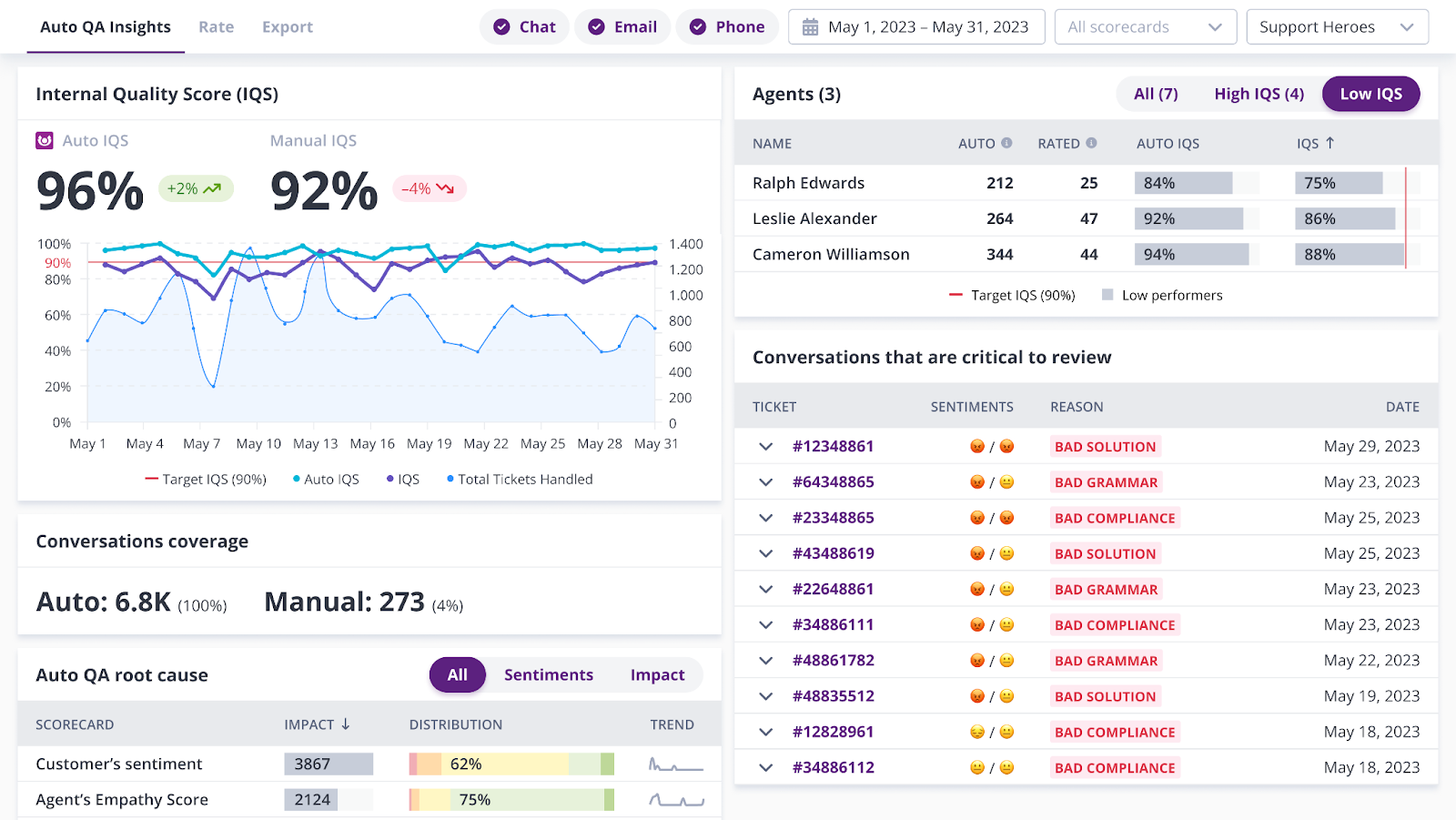
Kaizo was built from the ground up as a dedicated QA platform, with AI developed at an early stage to respond to true customer needs. We understand that quality means different to every company. Your customers are unique, your support should be, too.
- Configurable performance dashboards with automated reporting exports.
- 100% of your conversations are automatically analyzed.
- Our AI connects to your Knowledge Base, and you can tailor detailed criteria for fully customized automatic scoring.
- Kaizo offers AI-generated coaching, automatically sending targeted guidance to agents based on their conversation data.
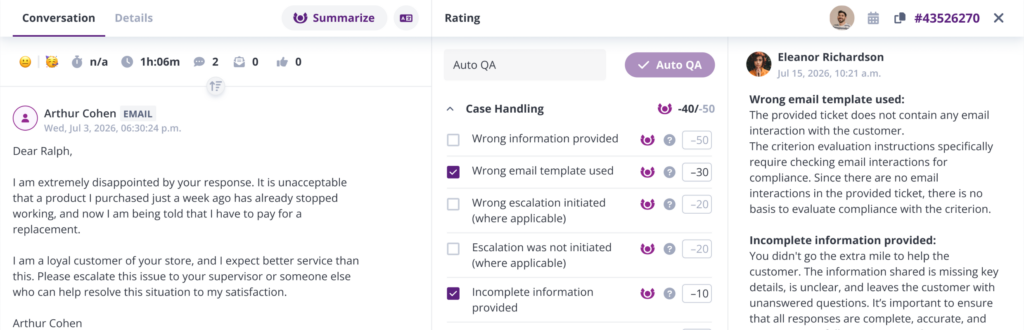
Use Kaizo’s AI to cover the full QA lifecycle: omnichannel automated scoring, end-to-end coaching, and full performance insights and analytics. For when you want to dive in manually, Kaizo assists with features like calibration, QA verification, and BI exports.
Where Kaizo genuinely separates itself is in the depth of its AI customization. QA managers can write their own AI prompts and define custom scorecard criteria. This means our Auto QA evaluates conversations against your quality standards, not a generic template. On-demand transcription is included without per-minute charges or credit limits.
Kaizo connects natively with both Zendesk and Salesforce and offers custom data retention policies and custom storage locations as standard features (not expensive add-ons).
For teams that want direct influence over the product they’re paying for, Kaizo’s enterprise package includes product roadmap input: a level of partnership no other vendor on this list offers at any tier.
Strengths
- Most flexible AI in the category: custom prompts, custom criteria, personalized AI coaching
- Purpose-built QA platform
- Customizable performance insight dashboards that support automated BI exports
- AI implementation workshops to accelerate time-to-value
Limitations
- Native integrations with Zendesk and Salesforce only
2. Zendesk QA
★ G2 4.5/5 · Users love: ease of use, efficiency, native Zendesk fit
Best for: Support teams running entirely on Zendesk who want QA within the same vendor relationship
Zendesk QA (formerly Klaus) makes the most sense as a choice if your team is already heavily invested in the Zendesk platform and you want to minimize vendor complexity. Its AI capabilities cover most of the core bases: conversation summaries, sentiment analysis, churn risk detection, and root cause analysis, and it supports calibration sessions and agent assignment automation.
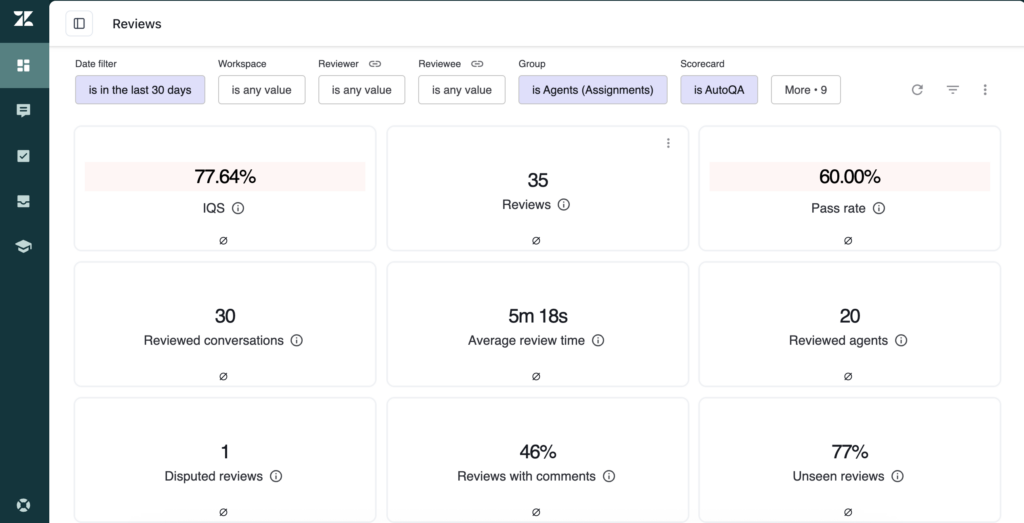
Customer feedback praises the platform’s AI forecasting capabilities and breadth of integrations as genuine strengths. As an out-of-box solution, Zendesk QA hits the main marks.
That said, Zendesk QA has a few notable limitations. There are no AI coaching recommendations. On-demand transcription comes at $0.027 per minute, which adds up quickly at scale. Critically, it is only available for existing Zendesk users and pricing is wall-to-wall, meaning that the QA add-on cost is priced per helpdesk seat.
Strengths:
- Native Zendesk fit
- Strong AI suite
- User-friendly interface
Limitations:
- No integration with other helpdesks
- Added costs for transcription
- QA-specific support is limited: advanced feature setup often requires external help or workarounds
- Wall-to-wall pricing
3. MaestroQA/Rippit
★ G2 4.7/5 · Users love: scorecard flexibility, coaching
Best for: Supporting a developed QA workflow with developing conversation intelligence
MaestroQA has built a well-developed scoring system and coaching session structure. G2 reviewers consistently praise its intuitive navigation, scoring capabilities, and feedback functionality.
From a feature standpoint, it covers the core QA and manual coaching toolkit well, with support for calibration, agent assignment automation, missions, and automated BI exports. Custom object integration is available, which puts it ahead of most competitors in integration flexibility.
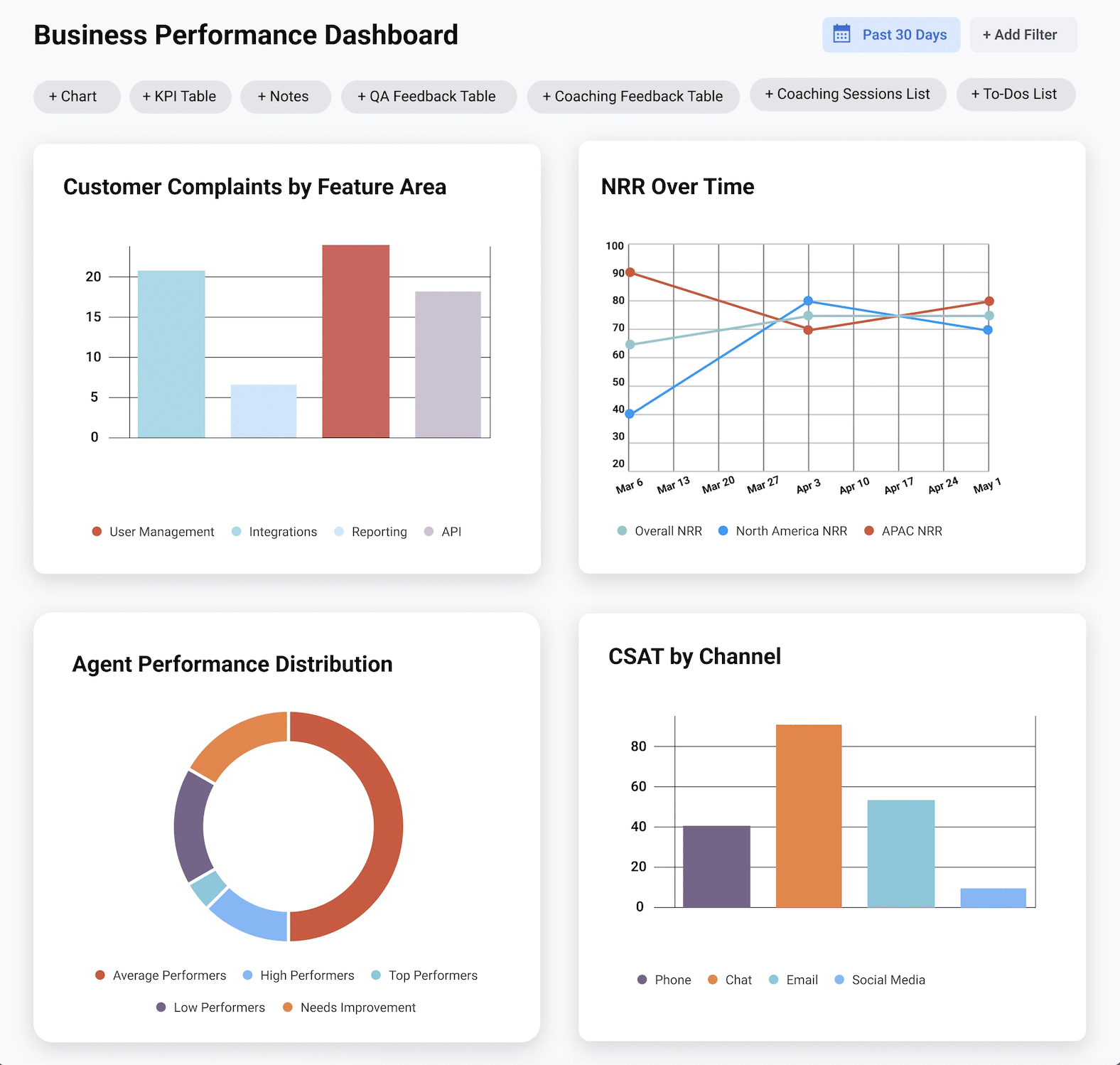
MaestroQA offers strong conversational intelligence features. However, the platform’s recurring criticisms center on finding older ticket data, the complexity of interconnected settings during initial setup, and the absence of CSV/PDF export options. These are friction points that matter for QA managers who need to pull data quickly for reporting or audits.
Importantly, MaestroQA does not offer AI coaching recommendations, and its AI prompting capabilities, while present, are less emphasized than in some competitors. In addition, they charge an onboarding fee to help with setup.
Strengths:
- Detailed scoring system
- Core QA workflows
- Conversation intelligence
- Integrates with Zendesk, Salesforce, Freshdesk, Helpshift
Limitations:
- No AI coaching recommendations
- Navigation friction for historical data
- Steep initial setup curve (and onboarding cost)
4. LevelAI
★ G2 4.6/5 · Users love: ease of use, clean interface
Best for: Large teams that to give AI to take the reins for a more hands off approach
LevelAI takes the AI-first path and has built genuine momentum with teams that value a more hands-off approach to QA. G2 reviewers frequently cite time savings from automated call documentation and useful performance tracking tools for managers.
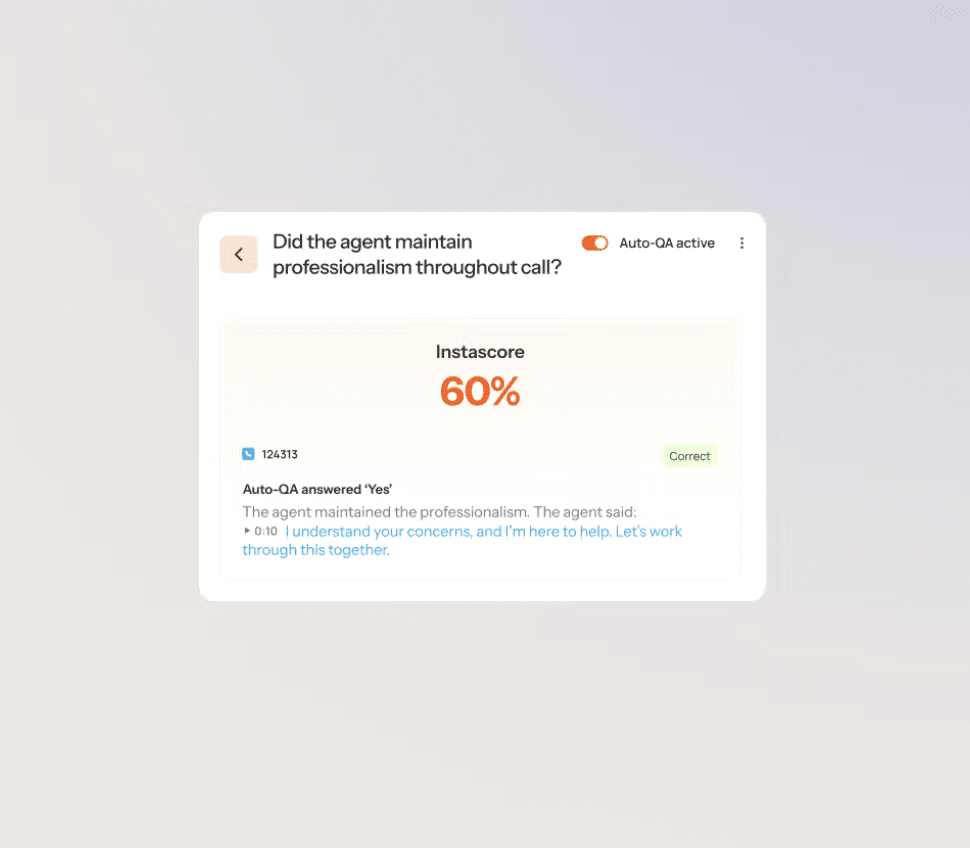
Its AI coaching recommendations are a differentiator, shared only with Kaizo, among the tools we have reviewed. Its insights are well developed, offering a detailed picture of performance and support quality.
As with many AI-first tools, the most consistent complaint across customer reviews is accuracy. Users report issues with transcript accuracy, sentiment misidentification, and AI scoring errors that require manual correction. Translation accuracy is also flagged as inconsistent.
For more mature QA teams, there are some nice-to-have quality assurance features missing. For example, LevelAI lacks support for calibration sessions and agent assignment automation, and missions.
Strengths:
- AI insights
- AI coaching recommendations
Limitations:
- Reported AI accuracy issues
- Missing supplementary QA features
5. EvaluAgent
★ G2 4.5/5 · Users love: ease of use, navigation
Best for: Teams where ease-of-use and agent engagement are the top priorities
EvaluAgent’s strongest asset, according to customers, is the clarity and consistency of its feedback experience for agents. The interface is praised for being visually clean and intuitive, which reduces the onboarding burden for agents engaging with QA results.
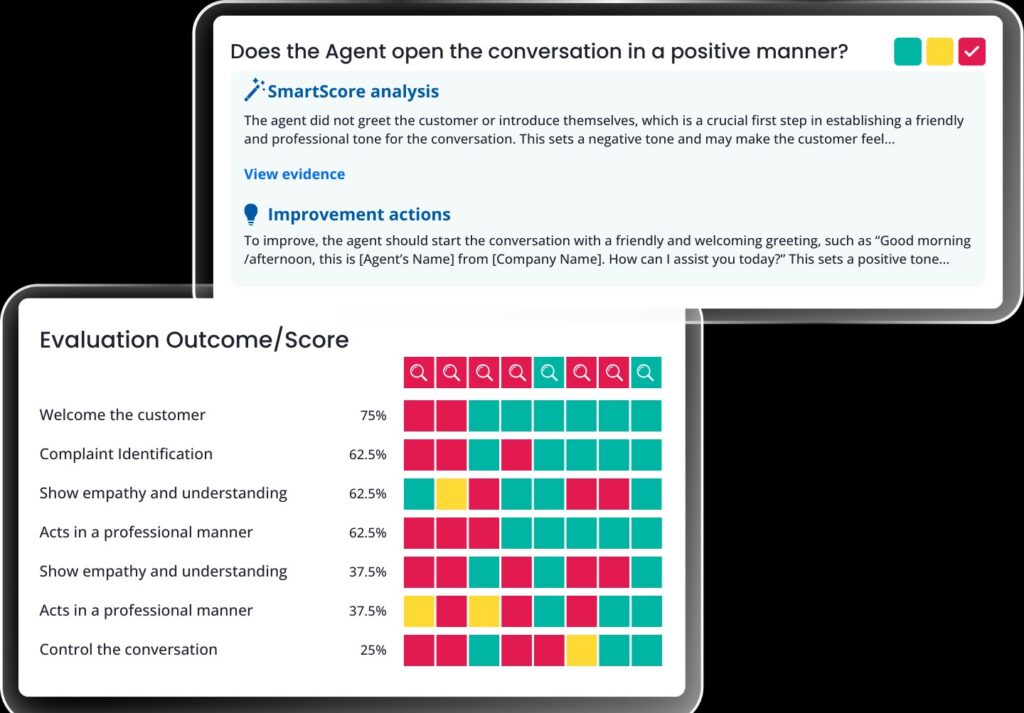
On the feature side, EvaluAgent covers the QA basics competently: auto QA, sentiment analysis, churn risk detection, real-time feedback. On-demand transcription is included.
However, it has a notable AI gap: no root cause analysis, no extended AI insights, and no AI coaching recommendations. This limits its usefulness for QA managers who need to go beyond scoring into structured improvement workflows. Advanced data filtering is limited, and G2 reviewers flag a steep learning curve for more advanced features despite the agent-friendly surface.
Strengths
- Great agent-facing feedback experience
- Strong ease-of-use
- Integrates with Zendesk, Intercom, Salesforce, Freshdesk
Limitations
- Lacking AI features
- No root cause analysis
- Limited reporting depth
6. Scorebuddy
★ G2 4.5/5 · Users love: scorecard builder, coaching
Best for: Teams new to formalized QA who need a low-friction starting point
Scorebuddy’s dominant theme is accessibility. Its features are easy to learn and navigate, proving a good starting point for teams new to quality assurance, who need a tool to help set up.
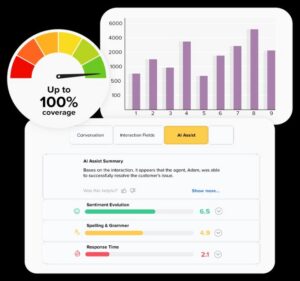
From a feature standpoint, however, it lacks in comparison to the above listed quality assurance tools. While they are investing more in business insights, user feedback shows that reporting quality is a recurring complaint, describing it as disorganized and slow.
Scorebuddy is a reasonable starting point for smaller teams, but companies that expect to grow their QA program in sophistication are likely to find themselves constrained.
Strengths
- Easiest onboarding
- Strong usability ratings
- Effective for basic QA workflows
Limitations
- Limited reporting
Other customer service QA tools to consider
The six platforms above compete most directly with Kaizo on customer service QA. The tools below also handle QA, but are each better known for an adjacent strength, workforce management, voice/CCaaS, or real-time agent assist, so they suit teams whose primary need sits outside pure quality assurance.
| Tool | G2 | Best known for |
|---|---|---|
| Playvox (now NICE) | ★ 4.8 | QA bundled with workforce management and gamification; digital-first |
| Observe.AI | ★ 4.6 | Voice-first conversation intelligence and auto-QA for contact centers |
| Cresta | ★ 4.2 | Real-time, in-call agent guidance powered by generative AI, at enterprise scale |
| Loris | ★ 4.8 | AutoQA plus a real-time agent CoPilot for digital support (now part of Contentsquare) |
| NICE CXone | ★ 4.3 | A full enterprise CCaaS suite with quality management built in |
| Calabrio ONE | ★ 4.4 | Workforce-optimization suite with automated QM for larger contact centers |
How to choose the right QA tool
Do you need an AI that evaluates conversations on your own quality criteria, not a generic standard?
Kaizo combines AI customizability with fully fleshed out customer service quality assurance capabilities. This is a complete option for mature QA teams who know that their customers demand more than standard customer service, they demand excellence.
Do you want to take a completely hands-off approach to QA?
Level AI leans furthest into fully-automated scoring. The tradeoff is control and accuracy, fully hands-off means you can’t easily calibrate or correct what the AI decides. Kaizo gives you the same 100% auto-scoring but with a dial: you choose how much humans review, so you get full coverage without giving up oversight of how your team is graded.
Are you a Zendesk client willing to invest slightly more in a tool that keeps everything in one place?
Zendesk QA is the path of least resistance if you’re all-in on Zendesk. But Kaizo is Zendesk-native too, so “keeping everything in one place” isn’t a reason to settle: you get QA inside Zendesk plus custom AI scoring, coaching and gamification a bundled add-on doesn’t offer, without being tied to one vendor’s roadmap.
Are you early in your QA journey and ease-of-use is your highest priority?
Scorebuddy and EvaluAgent are genuinely easy to start with. Kaizo is too, begin with a template scorecard and let AI score from day one, the difference is that you won’t outgrow it: the same tool scales from your first scorecard to a mature, fully-automated QA program.
A buyer’s checklist before you sign
Whichever tool you shortlist, run it through the same questions before you commit. Most of them only get a straight answer in a demo on your own conversations, not from a feature page.
Standalone or part of a suite. A dedicated QA platform goes deeper on scoring, calibration and coaching. QA bundled into a helpdesk, WFM or CCaaS suite gives you everything in one contract but is usually shallower, and it ties your quality standard to that vendor’s roadmap. Decide which trade you are making.
The must-haves.
- Helpdesk integration. Reviewers should score inside the tool your agents already use (Zendesk, Salesforce and so on), with ticket metadata available, not in a separate system fed by exports.
- Every channel on one standard. Voice, chat, email and messaging scored against one core scorecard, so a quality score means the same thing everywhere.
- Weighted, customizable scorecards with auto-fail criteria, so the tool measures your definition of quality rather than a generic template.
- Automation with evidence. Automated scoring should cover every conversation and link each score to the part of the transcript that produced it.
- Alerts and real-time reporting, so critical issues and quality dips surface while they can still be fixed, not at month end.
- Exports, CSV or BI, so QA results can sit next to CSAT, handle time and the rest of your reporting.
Pricing questions to ask (Kaizo’s plans are on the pricing page). Is the price per QA seat, per agent or per helpdesk seat (wall-to-wall)? Are transcription, AI scoring or extra storage charged on top? Are there onboarding or training fees? And what return does the vendor expect, in reviewer hours saved and quality gained, and how will you measure it in a pilot?
Scalability. Check the tool copes with your forecast headcount, multiple sites and time zones, and outsourced teams on the same standard, since that is where most QA programs strain.
Usability. The tool becomes part of your reviewers’ and agents’ daily routine, so look hard at the onboarding effort, how much ongoing training it needs, and what help is available. The fastest test is a demo run on a sample of your own conversations.
Proof. Read customer stories and independent reviews rather than taking the vendor’s word for it, and ask for a reference in a team that looks like yours.
Frequently asked questions
What are the best QA scoring tools for customer support?
The leading QA scoring tools in 2026 are Kaizo, Zendesk QA, MaestroQA (Rippit), Level AI, EvaluAgent, and Scorebuddy. They differ most on coverage and customization: Kaizo scores 100% of conversations against your own custom criteria, while several others score a sample against standard scorecards.
What tools audit support ticket quality?
Support ticket quality audit tools review conversations against a scorecard to check whether they were handled well. Manual auditing covers a 2 to 5% sample; AI-driven QA platforms like Kaizo audit 100% of tickets automatically, so quality gaps show up as a trend instead of luck of the draw.
Which QA tools work across multichannel support?
For QA across chat, email, and voice you need omnichannel coverage rather than a single-channel tool. Kaizo scores conversations across every supported channel, and MaestroQA, EvaluAgent, and Scorebuddy also cover multiple channels; Zendesk QA is scoped to Zendesk channels.
Which QA tools have customizable scorecards?
Most QA tools offer scorecards, but customization depth varies. Kaizo lets QA managers write their own AI prompts and define custom scoring criteria, MaestroQA offers detailed manual scoring, and lighter tools like Scorebuddy provide more basic scorecards.
Can you automate support ticket quality assurance?
Yes. Automated QA uses AI to score conversations the moment they close, replacing the manual 2 to 5% sample with 100% coverage. See how automated quality assurance works and how to build a QA scorecard that an AI can apply consistently.
What are QA dashboards and analytics tools?
QA dashboards turn conversation scores into trends by team, agent, and channel. Kaizo includes configurable performance dashboards with automated BI exports, so QA results feed directly into customer service metrics and KPIs and coaching.
Related reading
- Kaizo vs Zendesk QA, Playvox, Scorebuddy, EvaluAgent and MaestroQA: head-to-head comparisons
- Contact center quality assurance: the complete guide
- Conversation intelligence software: a buyer guide
- The ROI of Auto QA
- Manual QA vs Auto QA compared
- How to build a customer service QA program from scratch